Steam Deck OLED vs Asus ROG Ally X: Which Handheld Should You Buy?
Side-by-side spec comparison between Valve Steam Deck OLED and Asus ROG Ally X. Verified display, battery, processor, and RAM specs with a plain verdict.
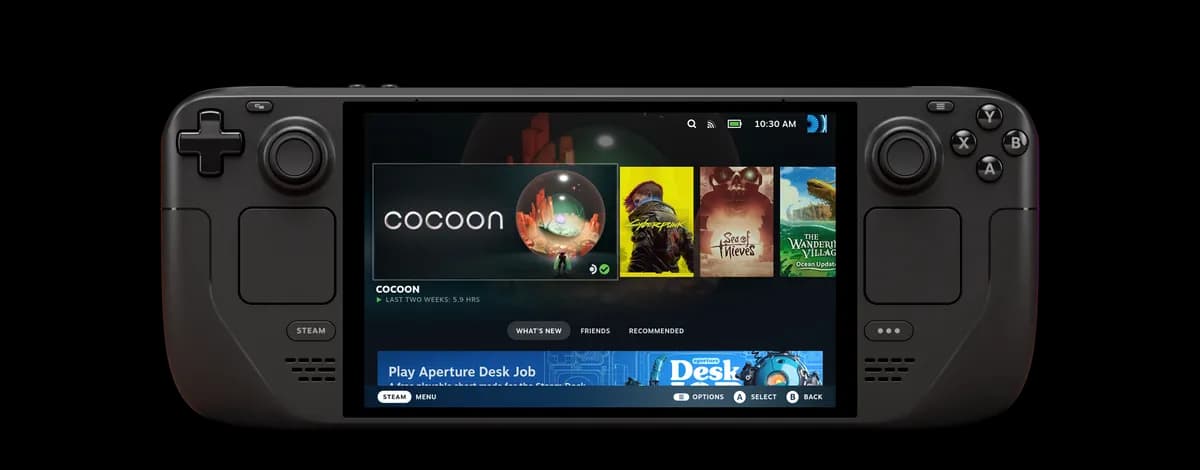
Valve Steam Deck OLED
7.4" 90Hz HDR OLED display with exceptional battery life and SteamOS convenience.
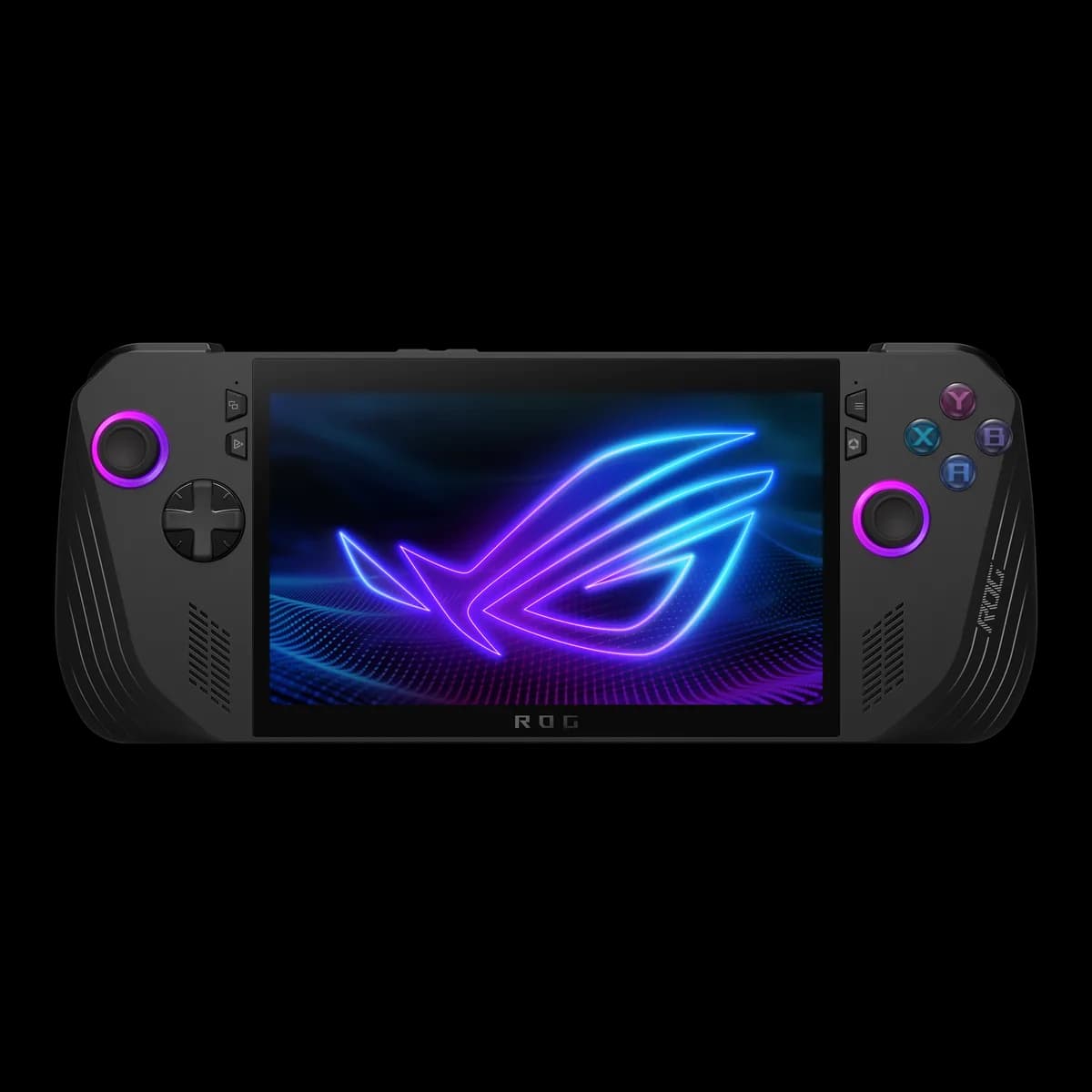
Asus ROG Ally X
Flagship Windows handheld with 24GB LPDDR5X RAM, massive 80Wh battery, and standard 2280 SSD slot.
Which One Should You Choose?
The Steam Deck OLED remains the superior pure gaming handheld for ergonomics, display vibrancy, and battery efficiency at lower wattages. However, the Asus ROG Ally X is the definitive powerhouse for gamers who need 1080p 120Hz VRR, 24GB memory, and unrestricted Windows 11 library access.
ABuy the Steam Deck OLED if:
- You prioritize the best possible handheld display (true HDR OLED, infinite contrast, 90Hz, 1,000 nits peak).
- You want a frictionless, console-like gaming OS with seamless sleep/wake and zero Windows bloat.
- You play strategy, FPS, or precision mouse-driven games that benefit heavily from dual haptic trackpads.
- You play indie games, emulation, or power-efficient titles at 3–10W where Steam Deck delivers up to 12 hours of battery.
BBuy the ROG Ally X if:
- You demand maximum raw graphical horsepower for modern AAA titles at 1080p with AMD FreeSync Premium (VRR).
- You want 24GB of LPDDR5X RAM, preventing VRAM starvation in texture-heavy games.
- You need native Windows 11 compatibility for Xbox Game Pass, Epic Games, Battle.net, and anti-cheat games like Fortnite.
- You want an 80Wh battery that allows running 17–25W sustained turbo modes for hours without dying quickly.
- You want a standard, user-serviceable M.2 2280 NVMe SSD slot for cheap 2TB or 4TB drive upgrades.
Key Physical & Hardware Spec Bars
Visual comparisons strictly computed from official manufacturer figures. Zero synthetic benchmark guesses.
Size-to-Scale Dimensional Comparison
Real published millimeter dimensions rendered to proportional 1:1 aspect scale.
Width Difference
18.0 mm
Steam is wider
Height Difference
6.0 mm
Steam is taller
Thickness (Depth)
12.1 mm
ROG is slimmer
Full Side-by-Side Spec Comparison
Every spec verified from manufacturer spec sheets. Winner indicated with green badge.
| Specification | Product A Steam Deck OLED | Product B ROG Ally X |
|---|---|---|
| Display & VisualsDisplay Panel & Refresh | 7.4" HDR OLED, 1280×800 (16:10), 90Hz, 1,000 nits HDR / 600 nits SDR, 110% DCI-P3, <0.1ms response | 7.0" FHD IPS, 1920×1080 (16:9), 120Hz, 500 nits, 100% sRGB, AMD FreeSync Premium (VRR), 7ms Trade-off: Steam Deck OLED has superior contrast, colors, and true blacks; ROG Ally X has sharper 1080p resolution and Variable Refresh Rate (VRR). |
| Display & VisualsVariable Refresh Rate (VRR) | No hardware VRR (fixed 90Hz / 60Hz / 45Hz / 40Hz modes) | Yes (AMD FreeSync Premium, 48–120Hz range) Winner: VRR on the Ally X eliminates screen tearing and micro-stutters when framerates fluctuate between 45 and 90 fps. |
| Processing & GraphicsProcessor (CPU & Architecture) | AMD 6nm APU (Zen 2, 4 cores / 8 threads, 2.4–3.5 GHz) | AMD Ryzen Z1 Extreme ("Zen 4" 4nm, 8 cores / 16 threads, up to 5.10 GHz) Winner: Ally X has twice the CPU core count (8 vs 4) and modern Zen 4 architecture with significantly higher clocks. |
| Processing & GraphicsGraphics Compute (GPU) | AMD RDNA 2 (8 CUs @ 1.6 GHz, 1.6 TFLOPS FP32) | AMD RDNA 3 (12 CUs @ up to 2.7 GHz, up to 8.29 TFLOPS) Winner: RDNA 3 with 12 CUs clocked up to 2.7 GHz offers far higher compute bandwidth for demanding 3D rendering. |
| Memory & StorageRAM Capacity & Speed | 16 GB LPDDR5 (6400 MT/s quad-channel) | 24 GB LPDDR5X (7500 MT/s dual-channel) Winner: 24GB allows allocating 8GB to VRAM while still leaving a full 16GB for Windows and system tasks. |
| Memory & StorageStorage Form Factor & Expandability | 512GB or 1TB NVMe (compact M.2 2230 slot) + UHS-I microSD | 1TB PCIe 4.0 NVMe (standard full-size M.2 2280 slot) + UHS-II microSD Winner: Standard M.2 2280 drives are significantly cheaper, widely available, and support capacities up to 4TB+ without adapters. |
| Battery & PowerBattery Capacity | 50 Whr lithium-ion | 80 Whr 4-cell Li-ion Winner: The Ally X has a 60% larger physical battery capacity (80 Whr vs 50 Whr). |
| Battery & PowerLow-Power Efficiency (TDP Scaling) | Highly optimized down to 3–10W APU TDP (up to 12 hours in light titles) Winner: Steam Deck OLED achieves significantly longer runtimes on indie, 2D, and retro titles at low power draws. | Optimized primarily for 13–25W+ operation (less efficient under 9W) |
| Operating System & LibraryOperating System | SteamOS 3 (Arch Linux + Proton) | Windows 11 Home (with Armoury Crate SE) Trade-off: SteamOS provides instant suspend/resume and slick console ergonomics; Windows 11 provides unrestricted launcher and anti-cheat compatibility. |
| Controls & ErgonomicsInput Controls | Dual 32.5mm square haptic trackpads, 4 rear grip buttons, capacitive thumbsticks, gyro Winner: Dual trackpads and 4 rear buttons give the Steam Deck OLED unparalleled versatility in complex PC control schemes. | Dual analog sticks, Hall effect triggers, 2 rear macro buttons, 6-axis gyro (no trackpads) |
| Controls & ErgonomicsWeight & Dimensions | 640 grams (1.41 lbs) | 298 × 117 × 49 mm Winner: Steam Deck OLED is 38g lighter with deeply contoured palm grips. | 678 grams (1.49 lbs) | 280 × 111 × 24.7–36.9 mm |
| ConnectivityExternal Ports | 1× USB-C (USB 3.2 Gen 2, DP 1.4, PD), 3.5mm jack, microSD | 1× USB4 / Thunderbolt 4 (40Gbps, DP 1.4, PD) + 1× USB 3.2 Gen 2 Type-C, 3.5mm jack, UHS-II microSD Winner: Ally X features dual USB-C ports, allowing simultaneous charging and high-speed USB4 accessory/eGPU connection. |
Real Pros & Cons Breakdown
Valve Steam Deck OLEDSummary
Advantages (Pros)
- •Stunning 7.4" 90Hz HDR OLED display with infinite contrast and true blacks
- •Significantly improved battery life (50 Whr combined with efficient 6nm APU)
- •SteamOS instant sleep/wake and seamless console-like UI
- •Dual precision trackpads make mouse-driven strategy/FPS games fully playable
Trade-offs (Cons)
- •Lower raw compute ceiling compared to Ryzen Z1 Extreme / Lunar Lake handhelds
- •Non-native Windows experience (running Game Pass or kernel anti-cheat requires workarounds or streaming)
- •Single USB-C port limits simultaneous charging and wired accessories without a dock
Asus ROG Ally XSummary
Advantages (Pros)
- •Massive 80 Whr battery essentially doubles real-world gaming playtime
- •24GB high-speed LPDDR5X RAM prevents VRAM bottlenecking in modern AAA titles
- •Standard M.2 2280 SSD slot allows cheap, high-capacity 2TB/4TB upgrades
- •Variable Refresh Rate (VRR FreeSync Premium) ensures butter-smooth gameplay without tearing
- •Native Windows 11 compatibility with Xbox Game Pass, Epic, Battle.net, and anti-cheat titles
Trade-offs (Cons)
- •IPS display does not offer true OLED contrast or black levels
- •No trackpads for mouse-driven desktop navigation or classic PC RTS titles
- •Windows 11 handheld interface requires occasional touch/keyboard troubleshooting
Official Reveal & Feature Showcases
Official manufacturer footage directly from Valve, ASUS ROG, Lenovo, MSI, Acer, and Minisforum. No third-party commentary.
Valve Steam Deck OLED
Valve (Official)Steam Deck OLED — Available Now
Asus ROG Ally X
ROG Global (Official)ROG Ally X — Play ALL Your Games Anywhere
Frequently Asked Questions
Can you play Xbox Game Pass games natively on Steam Deck OLED?
You can stream Xbox Cloud Gaming via browser on Steam Deck OLED, but native PC Game Pass downloads require Windows because SteamOS is Linux-based. Asus ROG Ally X runs Windows 11 natively, allowing direct offline downloads of Game Pass titles.
Does the ROG Ally X have an OLED screen?
No. The ROG Ally X uses a 7.0-inch 1080p 120Hz IPS-level LCD with AMD FreeSync Premium (VRR). If true blacks, infinite contrast, and HDR vibrancy are your main priority, the Steam Deck OLED is the choice.
Which handheld has better battery life: Steam Deck OLED or ROG Ally X?
It depends on what you play. For lighter indie games and 2D titles running at 3W to 9W TDP, the Steam Deck OLED often lasts longer (up to 9–12 hours) due to its highly efficient APU and OLED panel. For heavy 3D AAA gaming running at 17W to 25W TDP, the ROG Ally X wins due to its massive 80Wh battery capacity (compared to 50Wh on the Deck).
Is it hard to upgrade the SSD on both devices?
Both allow SSD upgrades, but the ROG Ally X is easier and cheaper to expand because it uses the standard, full-length M.2 2280 form factor. The Steam Deck OLED requires the more compact and generally more expensive M.2 2230 form factor.
Ready to check live inventory & pricing?
Hardware pricing updates dynamically on Amazon. Click to verify current deals.