Asus ROG Ally X vs Lenovo Legion Go: The Heavyweight Windows Handheld Battle
Compare Asus ROG Ally X and Lenovo Legion Go. 80Wh battery, 24GB RAM, and VRR against an 8.8" 144Hz screen and detachable controllers.
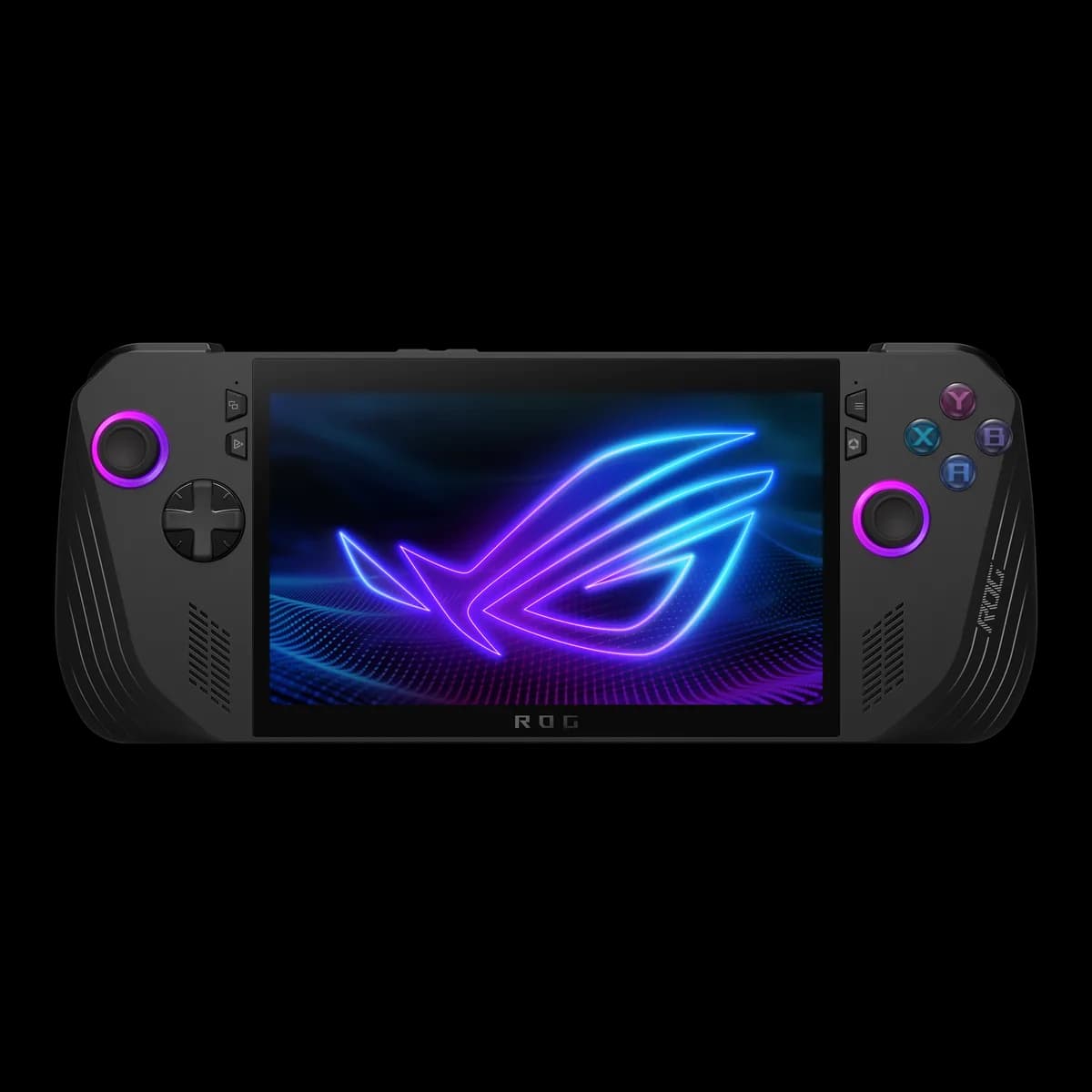
Asus ROG Ally X
Flagship Windows handheld with 24GB LPDDR5X RAM, massive 80Wh battery, and standard 2280 SSD slot.
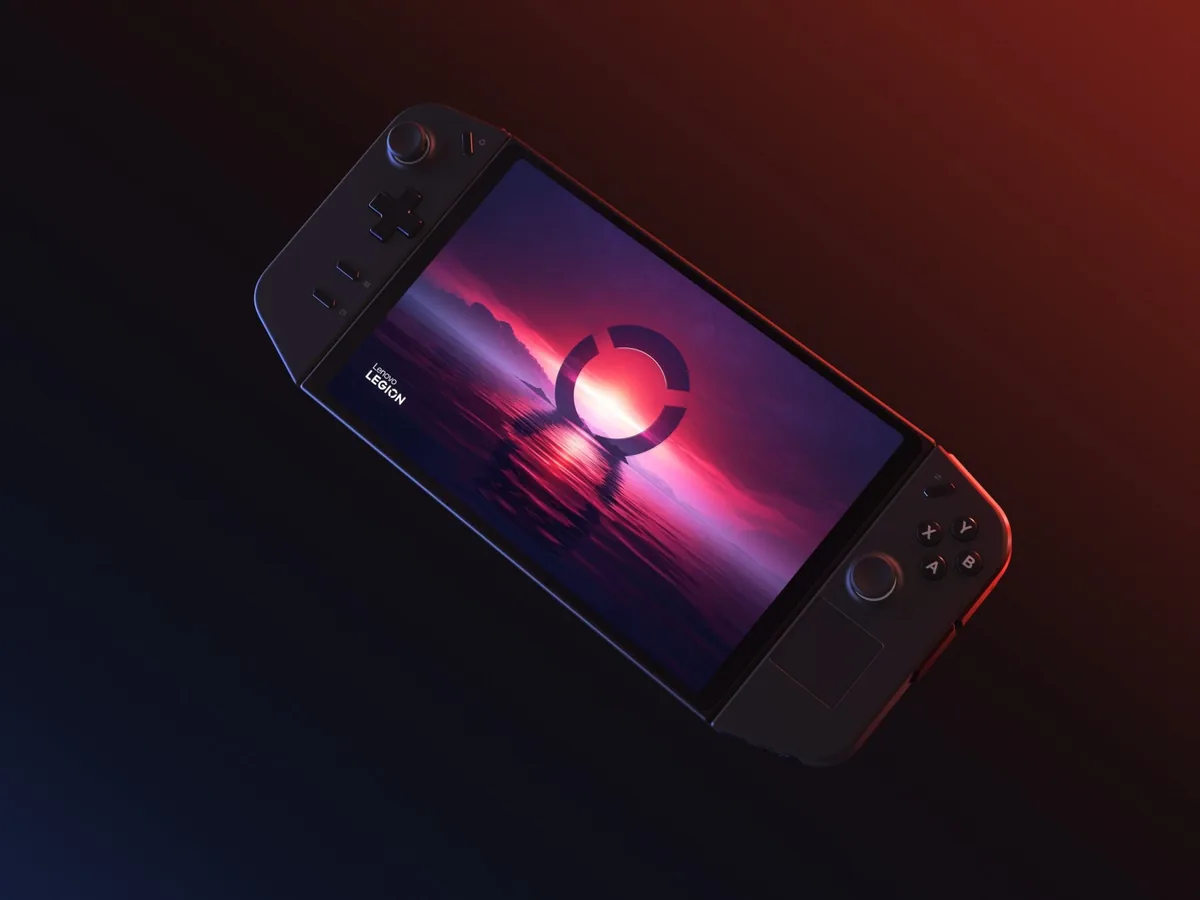
Lenovo Legion Go
Massive 8.8" 144Hz QHD+ display with detachable TrueStrike controllers and integrated FPS mouse mode.
Which One Should You Choose?
The Asus ROG Ally X wins on virtually every core gaming metric: battery capacity (80Wh vs 49.2Wh), memory (24GB vs 16GB), display VRR, weight, and standard 2280 SSD support. The Legion Go is the right pick only if you specifically want its massive 8.8-inch display, kickstand, and detachable controllers.
ABuy the ROG Ally X if:
- You want massive battery life (80 Whr vs 49.2 Whr — a massive 62.5% advantage for the Ally X).
- You want 24GB of high-speed LPDDR5X RAM to eliminate micro-stutters and VRAM limits in modern games.
- You value Variable Refresh Rate (VRR) with FreeSync Premium for seamless frame pacing without screen tearing.
- You prefer a handheld that is 176g lighter (678g vs 854g) with superior handheld ergonomics.
- You want a standard, user-serviceable M.2 2280 SSD slot.
BBuy the Legion Go if:
- You prioritize the biggest, most immersive screen possible (8.8" 144Hz 2560×1600).
- You want detachable controllers and an integrated kickstand for tabletop gaming on planes or trains.
- You want the unique optical FPS mouse mode for vertical aiming in shooter titles.
- You want USB-C ports on both the top and bottom of the chassis.
Key Physical & Hardware Spec Bars
Visual comparisons strictly computed from official manufacturer figures. Zero synthetic benchmark guesses.
Size-to-Scale Dimensional Comparison
Real published millimeter dimensions rendered to proportional 1:1 aspect scale.
Width Difference
18.8 mm
Legion is wider
Height Difference
20.0 mm
Legion is taller
Thickness (Depth)
3.8 mm
ROG is slimmer
Full Side-by-Side Spec Comparison
Every spec verified from manufacturer spec sheets. Winner indicated with green badge.
| Specification | Product A ROG Ally X | Product B Legion Go |
|---|---|---|
| Battery & PowerBattery Capacity | 80 Whr, 4-cell Li-ion Winner: Ally X has a 62.5% larger battery, allowing 2 to 3 times longer sessions at 25W Turbo mode. | 49.2 Whr, 2-cell Li-ion |
| Memory & StorageSystem Memory (RAM) | 24 GB LPDDR5X (7500 MT/s dual-channel) Winner: 24GB allows dedicating 8GB strictly to VRAM while keeping 16GB available for Windows 11 and background apps. | 16 GB LPDDR5X (7500 MT/s soldered) |
| Memory & StorageSSD Drive Form Factor | Standard M.2 2280 PCIe 4.0 NVMe Winner: Full-size M.2 2280 SSDs are more affordable, widely available, and reach higher capacities (up to 4TB+). | Compact M.2 2242 PCIe 4.0 NVMe |
| Display & VisualsDisplay Specifications | 7.0" FHD (1920×1080) IPS, 120Hz, 7ms, 500 nits, 100% sRGB | 8.8" QHD+ (2560×1600) IPS, 144Hz, 500 nits, 97% DCI-P3 Trade-off: Legion Go wins on screen dimensions and resolution; Ally X wins on 1080p native performance scaling. |
| Display & VisualsVariable Refresh Rate (VRR) | Yes (AMD FreeSync Premium, 48–120Hz) Winner: VRR is critical on handhelds to smooth out frame rate dips between 40 and 60 fps without tearing. | No VRR support |
| Weight & ErgonomicsWeight & Handheld Comfort | 678 grams (1.49 lbs) | Deeply sculpted ergonomic hand grips Winner: Ally X is 176g lighter with better grip contours, reducing hand cramping significantly. | 854 grams (1.88 lbs) with controllers | Flat rectangular profile |
| Modularity & InputsHardware Modularity | Fixed unibody chassis, 2 rear macro buttons, Hall effect triggers | Detachable TrueStrike controllers, integrated kickstand, vertical FPS mouse mode, optical sensor Winner: Legion Go detachable controllers and built-in kickstand provide versatile tabletop and media consumption modes. |
| ConnectivityI/O Ports | 1× USB4 / Thunderbolt 4 compatible + 1× USB 3.2 Gen 2 Type-C (both on top) | 2× USB4 40Gbps (1 top edge, 1 bottom edge) Tie: Both offer dual high-speed ports; Legion Go places one on the bottom for easy docking, while Ally X provides full USB4 + USB 3.2. |
Real Pros & Cons Breakdown
Asus ROG Ally XSummary
Advantages (Pros)
- •Massive 80 Whr battery essentially doubles real-world gaming playtime
- •24GB high-speed LPDDR5X RAM prevents VRAM bottlenecking in modern AAA titles
- •Standard M.2 2280 SSD slot allows cheap, high-capacity 2TB/4TB upgrades
- •Variable Refresh Rate (VRR FreeSync Premium) ensures butter-smooth gameplay without tearing
- •Native Windows 11 compatibility with Xbox Game Pass, Epic, Battle.net, and anti-cheat titles
Trade-offs (Cons)
- •IPS display does not offer true OLED contrast or black levels
- •No trackpads for mouse-driven desktop navigation or classic PC RTS titles
- •Windows 11 handheld interface requires occasional touch/keyboard troubleshooting
Lenovo Legion GoSummary
Advantages (Pros)
- •Huge 8.8" 1600p 144Hz display offers class-leading immersion and tablet versatility
- •Detachable controllers and sturdy kickstand enable comfortable tabletop gaming
- •Unique FPS mouse mode uses an optical sensor to turn the right controller into a vertical mouse
- •Dual USB4 40Gbps ports (top and bottom) allow charging while docked or connected to an eGPU
Trade-offs (Cons)
- •Heaviest handheld in class at 854g, causing arm fatigue during prolonged handheld sessions
- •No Variable Refresh Rate (VRR), so games must lock to 60Hz or 144Hz to avoid frame jitter
- •49.2 Whr battery is heavily taxed by the high-resolution 1600p screen
Official Reveal & Feature Showcases
Official manufacturer footage directly from Valve, ASUS ROG, Lenovo, MSI, Acer, and Minisforum. No third-party commentary.
Asus ROG Ally X
ROG Global (Official)ROG Ally X — Play ALL Your Games Anywhere
Lenovo Legion Go
Lenovo Legion (Official)Meet the Lenovo Legion Go — Gaming on the Go
Frequently Asked Questions
Why does 24GB of RAM matter on the ROG Ally X compared to 16GB on Legion Go?
Both handhelds share system RAM between the CPU and GPU (VRAM). On a 16GB device, allocating 6GB to the GPU leaves only 10GB for Windows 11 and game assets, causing hitching in modern games. With 24GB on the Ally X, you can allocate 8GB to VRAM and still retain a full 16GB of system RAM.
Does the lack of VRR on the Legion Go make a visible difference?
Yes. When games drop below 60fps on the Legion Go, you will notice stuttering or screen tearing unless you lock the refresh rate. On the ROG Ally X, FreeSync Premium VRR dynamically matches the display refresh rate to the game framerate, making 45–55fps feel remarkably smooth.
Which one is easier to upgrade with a bigger SSD?
The Asus ROG Ally X is easier because it natively accommodates standard desktop M.2 2280 NVMe SSDs. The Lenovo Legion Go uses the rarer M.2 2242 form factor, which has fewer options and generally higher prices per terabyte.
Ready to check live inventory & pricing?
Hardware pricing updates dynamically on Amazon. Click to verify current deals.