Steam Deck OLED vs Lenovo Legion Go: Big Screen vs OLED Mastery
Detailed spec comparison of Valve Steam Deck OLED vs Lenovo Legion Go. Compare 7.4" OLED vs 8.8" 144Hz IPS, battery life, weight, and controllers.
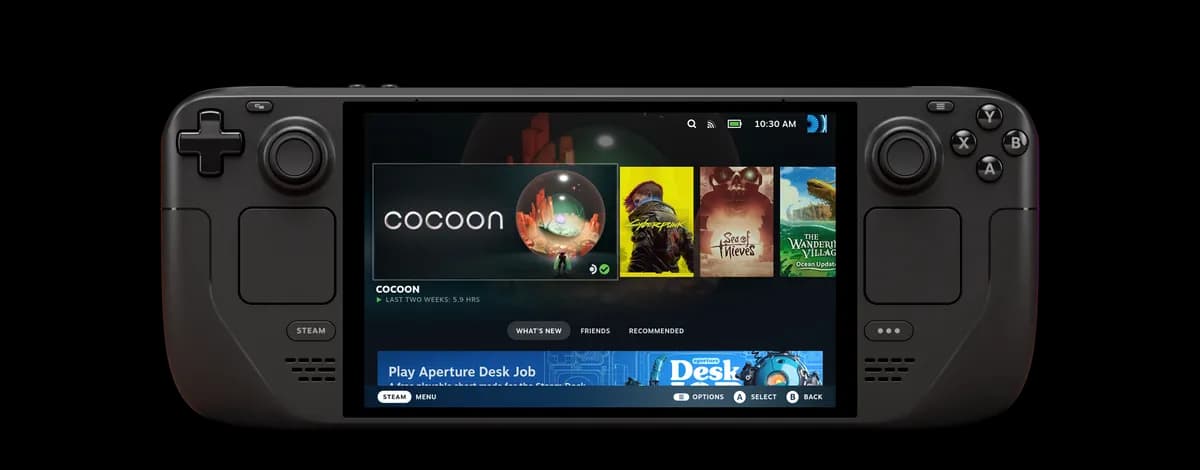
Valve Steam Deck OLED
7.4" 90Hz HDR OLED display with exceptional battery life and SteamOS convenience.
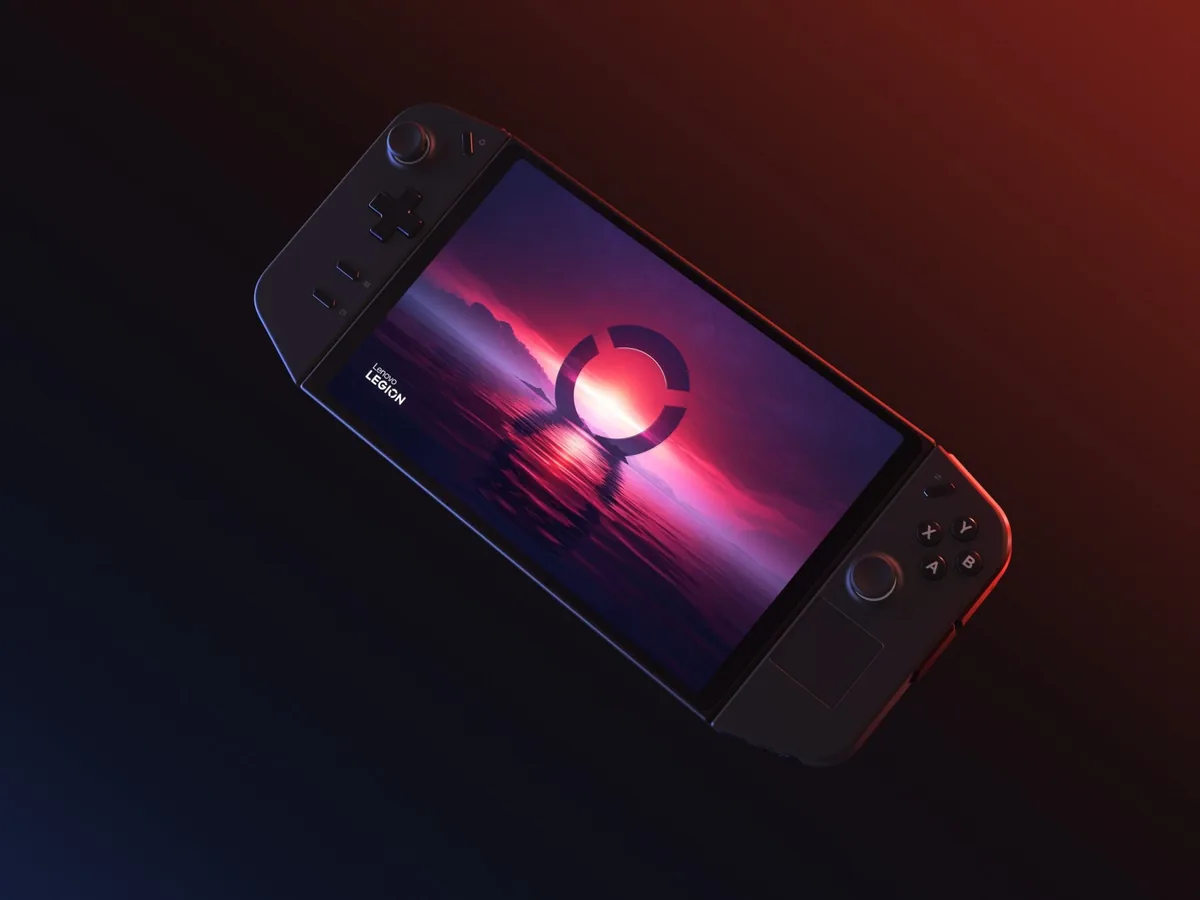
Lenovo Legion Go
Massive 8.8" 144Hz QHD+ display with detachable TrueStrike controllers and integrated FPS mouse mode.
Which One Should You Choose?
The Steam Deck OLED is by far the better true handheld—lighter, significantly longer-lasting, and equipped with a breathtaking OLED panel. The Lenovo Legion Go is an exceptional hybrid portable PC/tablet that shines when propped up on a desk or coffee table with its detached controllers.
ABuy the Steam Deck OLED if:
- You value handheld comfort and ergonomics (640g vs 854g is a massive 214g difference in your hands).
- You want true HDR OLED colors with infinite contrast and deeper blacks.
- You need dependable 3–12 hour battery life instead of being chained to a charger.
- You prefer a seamless, console-like operating system that sleeps and wakes instantly mid-game.
BBuy the Legion Go if:
- You want the largest screen on any mainstream handheld (a gigantic 8.8" 2560×1600 144Hz panel).
- You love detachable controllers and tabletop gaming with an integrated kickstand.
- You play first-person shooters and want the unique optical FPS vertical mouse mode.
- You need dual USB4 40Gbps ports (one top, one bottom) for flexible charging and high-speed docks.
Key Physical & Hardware Spec Bars
Visual comparisons strictly computed from official manufacturer figures. Zero synthetic benchmark guesses.
Size-to-Scale Dimensional Comparison
Real published millimeter dimensions rendered to proportional 1:1 aspect scale.
Width Difference
0.8 mm
Legion is wider
Height Difference
14.0 mm
Legion is taller
Thickness (Depth)
8.3 mm
Legion is slimmer
Full Side-by-Side Spec Comparison
Every spec verified from manufacturer spec sheets. Winner indicated with green badge.
| Specification | Product A Steam Deck OLED | Product B Legion Go |
|---|---|---|
| Display & VisualsScreen Size & Panel Type | 7.4" HDR OLED, 1280×800 (16:10), 90Hz, 1,000 nits HDR / 600 nits SDR, 110% DCI-P3 | 8.8" QHD+ IPS, 2560×1600 (16:10), 144Hz, 500 nits, 97% DCI-P3 Trade-off: Deck OLED wins on contrast, true blacks, and HDR; Legion Go wins on sheer screen real estate and 1600p resolution. |
| Display & VisualsVariable Refresh Rate (VRR) | No hardware VRR | No hardware VRR (portrait-native panel running landscape) Tie: Neither device supports hardware Variable Refresh Rate (VRR). |
| Processing & GraphicsProcessor (CPU) | AMD 6nm APU (Zen 2, 4 cores / 8 threads, 2.4–3.5 GHz) | AMD Ryzen Z1 Extreme ("Zen 4" 4nm, 8 cores / 16 threads, up to 5.10 GHz) Winner: Legion Go features 8 Zen 4 cores with higher boost frequencies. |
| Processing & GraphicsGraphics Compute (GPU) | AMD RDNA 2 (8 CUs @ 1.6 GHz, 1.6 TFLOPS) | AMD RDNA 3 (12 CUs @ up to 2.7 GHz) Winner: Legion Go has 50% more compute units (12 vs 8) and higher maximum clock speeds. |
| Battery & RuntimeBattery Capacity & Realistic Runtime | 50 Whr (3–12 hours realistic gameplay) Winner: Steam Deck OLED lasts nearly twice as long in real-world gameplay because its 800p OLED display and 6nm APU consume far less power than driving an 8.8" 1600p panel. | 49.2 Whr (1.5–4 hours realistic gameplay) |
| Form Factor & WeightTotal Device Weight | 640 grams (1.41 lbs) Winner: Steam Deck OLED is 214 grams lighter, preventing wrist and forearm fatigue during extended sessions. | 854 grams (1.88 lbs) with controllers; 640g tablet only |
| Controls & ModularityController Modularity | Fixed unibody chassis with dual square trackpads and 4 rear grip buttons | Detachable Legion TrueStrike controllers, integrated kickstand, optical sensor FPS mouse mode, single mini trackpad Winner: Detachable controllers and FPS mouse mode offer unparalleled hardware flexibility. |
| ConnectivityI/O Ports | 1× USB-C (USB 3.2 Gen 2, DP 1.4, PD) | 2× USB4 40Gbps (1 on top edge, 1 on bottom edge; both support PD 3.0 & DP 1.4) Winner: Legion Go dual USB4 ports allow charging from the top or bottom while attaching peripherals or high-speed docks. |
Real Pros & Cons Breakdown
Valve Steam Deck OLEDSummary
Advantages (Pros)
- •Stunning 7.4" 90Hz HDR OLED display with infinite contrast and true blacks
- •Significantly improved battery life (50 Whr combined with efficient 6nm APU)
- •SteamOS instant sleep/wake and seamless console-like UI
- •Dual precision trackpads make mouse-driven strategy/FPS games fully playable
Trade-offs (Cons)
- •Lower raw compute ceiling compared to Ryzen Z1 Extreme / Lunar Lake handhelds
- •Non-native Windows experience (running Game Pass or kernel anti-cheat requires workarounds or streaming)
- •Single USB-C port limits simultaneous charging and wired accessories without a dock
Lenovo Legion GoSummary
Advantages (Pros)
- •Huge 8.8" 1600p 144Hz display offers class-leading immersion and tablet versatility
- •Detachable controllers and sturdy kickstand enable comfortable tabletop gaming
- •Unique FPS mouse mode uses an optical sensor to turn the right controller into a vertical mouse
- •Dual USB4 40Gbps ports (top and bottom) allow charging while docked or connected to an eGPU
Trade-offs (Cons)
- •Heaviest handheld in class at 854g, causing arm fatigue during prolonged handheld sessions
- •No Variable Refresh Rate (VRR), so games must lock to 60Hz or 144Hz to avoid frame jitter
- •49.2 Whr battery is heavily taxed by the high-resolution 1600p screen
Official Reveal & Feature Showcases
Official manufacturer footage directly from Valve, ASUS ROG, Lenovo, MSI, Acer, and Minisforum. No third-party commentary.
Valve Steam Deck OLED
Valve (Official)Steam Deck OLED — Available Now
Lenovo Legion Go
Lenovo Legion (Official)Meet the Lenovo Legion Go — Gaming on the Go
Frequently Asked Questions
Why does the Steam Deck OLED have better battery life despite similar battery Whr?
The Steam Deck OLED features a 50 Whr battery while the Legion Go has a 49.2 Whr battery. However, the Legion Go must power an 8.8-inch 1600p 144Hz panel and a more power-hungry Z1 Extreme processor (running at 15W–30W). The Deck OLED powers a 7.4-inch 800p OLED at 4W–15W, consuming drastically less energy per minute.
Can you use the Legion Go like a normal Windows tablet?
Yes. With the TrueStrike controllers detached, the Legion Go functions as a standalone 640g 8.8-inch Windows 11 tablet with a built-in kickstand, making it convenient for video streaming, browsing, or document viewing.
Does the 2560x1600 screen on Legion Go make games run too slowly?
Running modern AAA games at native 1600p is too demanding for integrated graphics. Most players set resolution to 1280×800 (which scales with integer scaling cleanly into 1600p) or 1920×1200 with AMD RSR/FSR to maintain playable framerates.
Ready to check live inventory & pricing?
Hardware pricing updates dynamically on Amazon. Click to verify current deals.